Showing posts with label Time Machine. Show all posts

Thursday, 21 April 2016

3D Modelling: Time Machine Final Render and Marmoset Turntable


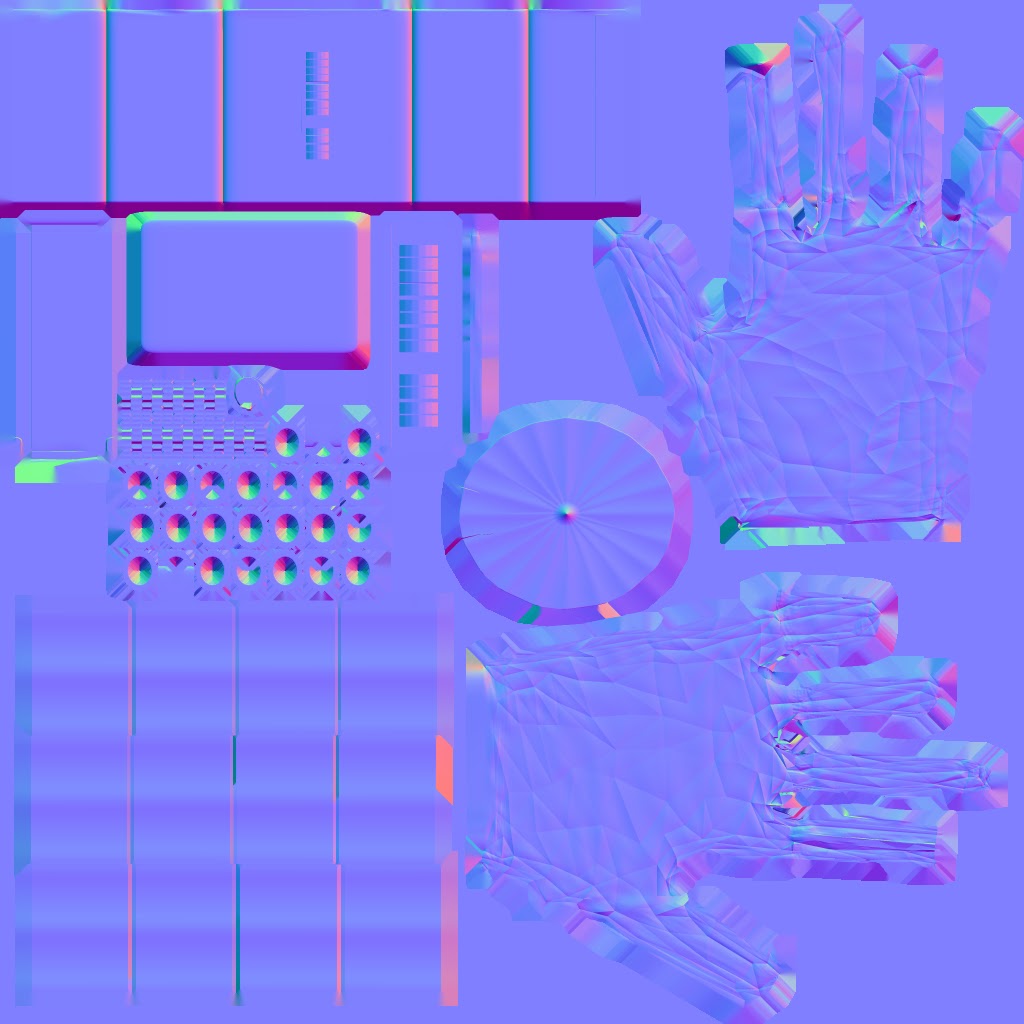
Normal Map
Ambient Occlusion Map

These are the maps I used on my Time Machine Marmoset model.

I wanted the glove part to be fabric and the cuff to be a metal material and designed the maps correspondingly.

Metallic Map
Roughness Map
Both the Metallic and Roughness Maps took me a few tries to do correctly as sometimes things were too reflective etc, but I think that it's turned out alright.

I included a close up screenshot of the cuff as it is not that easily seen on the turntable preview.
Close up of the metal cuff
Time Machine Render

Wednesday, 20 April 2016

3D Modelling: Time Machine Texture and Cage

Primitive View
Front View


UV Map
Top View
Side View


Before I actually started creating the UV map, I thought that an organic object would be easier to do than objects with hard edges. However, I've found that it's more difficult to determine how many shells are needed for an object and where the seams should be.

It took me much longer to UV map my column than the time machine but I think that may be due to the fact that were more parts to the column, and also because I was just starting to learn UV mapping.


Front View
Primitive View


Side View

Albedo Map
Top View
Time Machine with Cage

Monday, 18 April 2016

3D Modelling: Updated Time Machine

Here we have an updated version of the time machine, as an actual glove instead of just fingerless and a better structure and shape in general. There are still no scratches due to lack of time, however having restarted the piece, I think it's turned out alright given the amount of time I had.
I decided to restart the piece as I just couldn't figure out how to just add fingers on through zbrush so I just rebuilt it on Maya and sort of made it simpler to begin with.

Primitive View
Front View
There were loads of misplaced vertices, messed up faces, extra edges etc and I spent around 3 hours importing and exporting changes in and out of zBrush and Maya! This is because there were holes in my models and overlapping areas when I imported the .OBJ into zBrush., but it's all good now.

Top View
Side View

I adjusted the original model of the template so that it was better and easier to edit in zbrush.

It looks more like a hand instead of a blob and this made it better to sculpt in zbrush.

This took me less time than the previous sculpt did as I knew roughly what I wanted and where things were meant to be.
This meant that things could also be improved upon quicker; the palms were shaped more realistically and the fingers took a better shape, which would have been more of an improvement had the first design had fingers...


Primitive View
Front View
Back View
Right View


Top View
Left View
Side View
Primitive View
Front View
Top View 

Monday, 4 April 2016

3D Modelling: Time Machine High Poly and Low Poly

Perspective View
Front View
Side View
Top View


This is the original model in Maya. It doesn't have a lot or any details really due to the fact I wanted to basicallydestroy the basic model created in Maya to remould it into a glove. I wanted to keep the cuff as close to how it has been modeled in Maya as it would be an object with hard edges.

This model was then imported into zBrush and crafted into my idea.
The fingerless gloves were decided due to the point at the top of the index finger, what would be used to "rip" a portal to a new time. It was also easier to build this way. I tried to mould the glove's as similar to that of a hand's as possible, with the bump and creases in the palms etc. I also tried to make it more obvious where I wanted holes for the gloves as I didn't hollow them completely out.

Primitive View
Back View
Front View
Left View
Right View


Primitive View
Front View
Back View


The high poly zBrush model was then decimated and imported into Maya and a low poly model was created. I encountered some issues with ngons but it should all be fixed now and the model should hopefully unwrap rather smoothly.

Side View
Top View


Friday, 18 March 2016

3D Modelling: Time Machine Design


Part of the reason why I wanted to create something like this is because I thought I needed to make something a bit more complicated than what I did with the column, in hope that I may be able to showcase more.. ability I guess, even though I'm still having a bit of trouble with the low poly model of the column. So I hope I figure it out and am able to do this to the time schedule. Another reason as to why I would like to make a glove type thing, instead of a watch-like object is I thought I may as well use this time to try drawing hands!


At the first creation of the design, each finger had a sharp end to it, however I restricted it to just the index finger. My idea is that once the time/date is set then the user draws into thin air, 'ripping' open a seam which they can them step through. I may reduce these to just the sharp one for the index finger. These initial designs don't show it very well but they, or it, will be linked inside the glove, and as the glove is quite old, it would be tattered, therefore the wires or connection inside it would be seen. I'd like to spend a lot more time on 2D, well as much as I can but that is far too much time and I need to move onto creating the model in Maya.
I have not quite yet decided what the cuff's material will be but I am leaning more towards metal rather than leather. Why I decided on leather initially was so that the metal dial would stand out more on the cuff. Perhaps instead of the chain link type things on the wrist side of the bracelet, I will use metal to connect it (this is where the bracelet snaps on after putting on the glove part), and if I were to do that then the leather would make a much more ideal material.


I guess modelling this on Maya would be easier to do it over a hand but I think if I got the measurements and proportions right, it wouldn't really matter... I just hope that I can.
Tuesday, 15 March 2016

BA1B Pre-Time Machine/Post Column Process Report

My current work stage is the task of cutting in the decimated zBrush column into a Maya column to create the Low Poly Model. I'm having a bit of trouble connecting the bottom part of the column and some of the edges wouldn't connect so I'm going to try a different method and do it along side my time machine, as a sort of "break-but not break" I guess, and after I complete a set amount of work each day.

This is a rough timetable of how I would ideally like my stages to be complete:
Week 1 (14th) - Design + High Poly
Week 2 (21st) - zBrush + Low Poly
Week 3 (28th) - Texture + Baking
Week 4 (4th) - Materials
Week 5 (11th) - Fixtures

Of course this is subject to change and I will keep a more detailed itinerary in my phone as the time that it takes to build my models depends on what I actually design. I can finish stages and start things early but I don't want to run overboard, if I were to give myself some leeway on the Low Poly as I know I have an event that weekend so perhaps a day or two over.

Ideal times I would like to finish/give to stages:
Monday 14th March -> Friday 18th March - Design
Saturday 18th March -> Tuesday 22nd March - High Poly Model
Wednesday 23rd March -> Thursday 24th March - ZBrush

(This is when I'd like to have my column completely and definitely finished so I can do the Low Poly model of the time machine having had more experience in this section and not have to worry about doing two sets of low poly models, textures and materials at once.)

Friday 25th April -> Monday 4th April - Low Poly
Tuesday 5th April -> Wednesday 6th April - Textures and Baking
Thursday 7th April -> Wednesday 13th April - Materials
Thursday 14th April -> Sunday 17th April - Fixtures/Finishing

After each step I have competed, I will write a blog and if I were not to complete a piece in the time allotted, then I will create a post at the time explaining. These posts will also talk about how I found working to these certain time constraints I have given myself.
I have so much work to do! I guess this will help with my time management. I guess I'll jump straight into it: